

Member
- Apr
- 142
- 2
+របៀបតម្លើងកម្មវិធី Acrobat XI Pro 11.0.19 នៅលើ windows 11
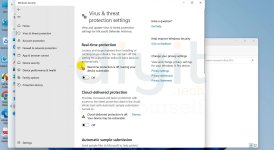
-ជាតំបូងយើងត្រូវបិទ windows defender ដែរយើងទៅចូលទៅកាន់
-Setting រួច update & Security ទៅកាន់ Windows Security ចុចលើពាក្យ Virus & threat protection
-បន្ទាប់មក ចុចទៅលើ manage setting ហើយចុចបិទ Real-Time Protection និង Cloud-Delivered protection
+បន្ទាប់ពីបិទ windows defender រួចរាល់ហើយ អ្នកត្រូវ
-Extract Acrobat XI Pro 11.0.19
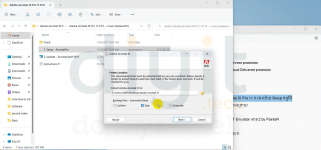
-បន្ទាប់មកចូលទៅកាន់ folder ដែលយើងបាន Extract រួចចូលទៅក្នុង folder Acrobat XI Pro 11.0.19 ហើយ Setup កម្មវិធី
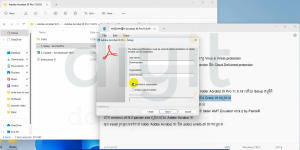
-នៅពេលដែលតម្លើងកម្មវិធីជិតចប់ យើងជ្រើសរើសយក trial ដើមធ្វើការ Crack តាមក្រោយ
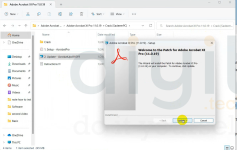
-បន្ទាប់ពីតម្លើងកម្មវិធីរួច សុំចុចតម្លើង update បន្ទាប់ពី update ចប់រួចរាល់
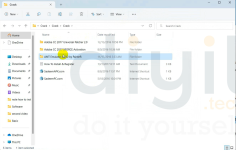
-ចូលទៅក្នុង folder crack ហើយ Extract Crack.rar ហើយចូលទៅកាន់ folder AMT Emulator v0.9.2 by PainteR
-បើក amtemu.v0.9.2-painter.exe ជ្រើសរើស Adobe Acrobat XI
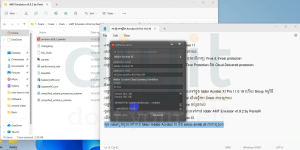
-ចុច install រួចចូលទៅកាន់ folder Adobe Acrobat XI និង select amtilb.dll ជាការស្រច
-ជាតំបូងយើងត្រូវបិទ windows defender ដែរយើងទៅចូលទៅកាន់
-Setting រួច update & Security ទៅកាន់ Windows Security ចុចលើពាក្យ Virus & threat protection
-បន្ទាប់មក ចុចទៅលើ manage setting ហើយចុចបិទ Real-Time Protection និង Cloud-Delivered protection
+បន្ទាប់ពីបិទ windows defender រួចរាល់ហើយ អ្នកត្រូវ
-Extract Acrobat XI Pro 11.0.19
-បន្ទាប់មកចូលទៅកាន់ folder ដែលយើងបាន Extract រួចចូលទៅក្នុង folder Acrobat XI Pro 11.0.19 ហើយ Setup កម្មវិធី
-នៅពេលដែលតម្លើងកម្មវិធីជិតចប់ យើងជ្រើសរើសយក trial ដើមធ្វើការ Crack តាមក្រោយ
-បន្ទាប់ពីតម្លើងកម្មវិធីរួច សុំចុចតម្លើង update បន្ទាប់ពី update ចប់រួចរាល់
-ចូលទៅក្នុង folder crack ហើយ Extract Crack.rar ហើយចូលទៅកាន់ folder AMT Emulator v0.9.2 by PainteR
-បើក amtemu.v0.9.2-painter.exe ជ្រើសរើស Adobe Acrobat XI
-ចុច install រួចចូលទៅកាន់ folder Adobe Acrobat XI និង select amtilb.dll ជាការស្រច
Attachments
Last edited: