


Member
- Apr
- 142
- 2
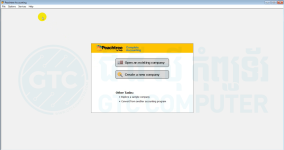
+របៀបតម្លើងកម្មវិធី Peachtree 2009 នៅលើ windows 11
-ជំហ៊ានទី ១: យើងត្រូវបិទ windows defender ដែលយើងត្រូវចូលទៅកាន់
-Setting រួច update & Security ទៅកាន់ Windows Security ចុចលើពាក្យ Virus & threat protection
-បន្ទាប់មក ចុចទៅលើ manage setting ហើយចុចបិទ Real-Time Protection និង Cloud-Delivered protection
-ជំហ៊ានទី ២: ចូលទៅកាន់ folder peachtree រួចតម្លើងកម្មវិធីដែលមានឈ្មោះ Setup
-ជំហ៊ានទី ៣: បញ្ចូលលេខ Serial 59175788 និង register ជាមួយ Peachtree for registration and customer ID
59175712
59175734
59175756
-ជំហ៊ានទី ១: យើងត្រូវបិទ windows defender ដែលយើងត្រូវចូលទៅកាន់
-Setting រួច update & Security ទៅកាន់ Windows Security ចុចលើពាក្យ Virus & threat protection
-បន្ទាប់មក ចុចទៅលើ manage setting ហើយចុចបិទ Real-Time Protection និង Cloud-Delivered protection
-ជំហ៊ានទី ២: ចូលទៅកាន់ folder peachtree រួចតម្លើងកម្មវិធីដែលមានឈ្មោះ Setup
-ជំហ៊ានទី ៣: បញ្ចូលលេខ Serial 59175788 និង register ជាមួយ Peachtree for registration and customer ID
59175712
59175734
59175756
Attachments

Last edited: